Notices & Public Alerts
You Found Your GMADA Service Online — But Where Do You Actually Apply?
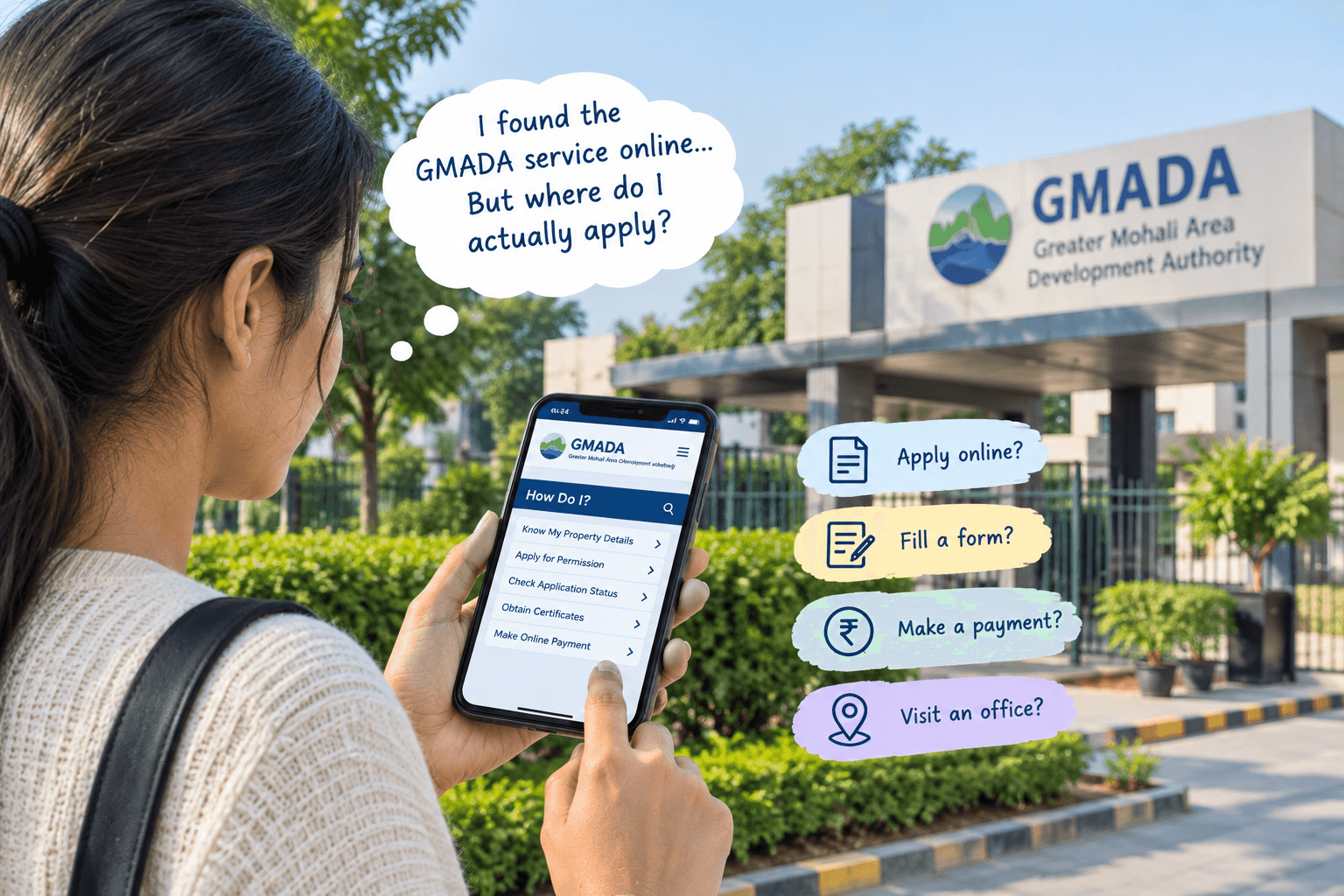
You need a service from GMADA.
Maybe you want to check your property details. Maybe you need a permission for sale or transfer, want to check the status of an application, need a certificate, or simply want to know how a particular process works.
So you go online and search for it.
You find the GMADA website.
Then you find the service you were looking for.
At first, it feels like the difficult part is over.
But then another question comes up:
Where do you actually apply?
The information is there, but finding the name of a service and completing that service are not always the same thing.
Finding the Service Is Only the First Step
GMADA's website has a “How Do I?” section with a long list of services for citizens. It includes options such as “Know My Property Details,” “Know My Grievance Status,” “Know My Single Window Status,” “Obtain Completion or Occupation Certification,” “Obtain Permission for Sale/Gift/Transfer,” “Obtain Permission to Mortgage,” and several other services. There are also separate sections for developers, colonies and plots, land owners and New Chandigarh.
This is useful because many different services are available in one place. But it can also leave a visitor wondering what comes next. You may know what service you need, but not necessarily where the actual application or next step is located.
Why This Can Be Confusing
Imagine that someone wants permission to transfer a property. They search the GMADA website and find “Obtain Permission for Sale/Gift/Transfer.” That tells them that the service exists. But they may still have questions.
- Is there an online application?
- Is a form required?
- Are documents needed?
- Can the status be checked online?
- Does the person need to visit an office at some stage?
The answer can be different depending on the service. That is why simply finding the name of a service does not always mean the entire process can be completed from that page.
GMADA Has Different Types of Online Information
One reason the website can take some time to understand is that it does not contain only one type of information. There are public notices and notifications, but there are also citizen services, developer services, property-related information and other sections.
For example, the official website currently has separate options for Know My Property Details, Online Citizen Services, Make Online Water Payments, e-Auction and other functions. So two people may visit the website for completely different reasons.
One person may only want to read a notice. Another may need to perform an actual service. Another may simply want to check the status of something they have already submitted. Knowing which type of information you are looking for can make the search much easier.
What If You Cannot Find an “Apply” Button?
This is where people can easily get stuck. You find the correct service, but there is no obvious “Apply Now” button in front of you. That does not necessarily mean the service is unavailable. The page may be intended to explain the process rather than act as the application form itself.
For some services, the website provides instructions, documents or information about the process. Other online functions may have their own application or login route. For example, GMADA's website has previously provided online-payment instructions that direct users to the relevant ePayment function. So, don't assume that every service listed under “How Do I?” works in exactly the same way.
What Are You Actually Trying to Do?
Before searching through different pages, it helps to be clear about your purpose. Are you trying to:
- find information?
- submit an application?
- check an application already submitted?
- download a form or document?
- make a payment?
- check property-related information?
These may lead you to different parts of the website. For example, someone checking the status of an existing application needs a different option from someone who has not yet started the process.
The official “How Do I?” section separately lists Know My Single Window Status, Know My RTI Status and Know My Grievance Status, showing that checking an existing matter is different from simply finding information about a service.
Don't Start With the Form — Start With the Process
If you are unsure where to apply, the easiest approach is not always to search immediately for a form. First, find the exact service. Read what GMADA says about it. Then look for the next action mentioned there. If the website directs you to another section, follow that route rather than assuming the first page is the application page. This can save time, especially when several services have similar names.
What About Services That Need More Than One Step?
Some GMADA-related processes may involve more than simply filling out an online form. A person may need to provide supporting documents, make a payment, obtain a certificate or complete another part of the process.
The official website itself lists services such as conveyance deed or no-dues-related documents, completion or occupation certification, permission to mortgage, building-plan sanction and property transfer.
These are not all the same type of service, so it would be misleading to assume that every one follows an identical online process. The important thing is to identify the particular service first and then follow the instructions associated with it.
What If You Are Still Not Sure Where to Go?
Sometimes you may reach the right section but still be unsure about the next step. In that situation, check whether the page provides a form, instructions, status option or contact information. GMADA's official website provides its helpdesk contact details and working hours, including a helpdesk email and phone numbers.
For a matter where the correct process is important, confirming the route with GMADA is better than submitting information through an unrelated page simply because it appears in a search result.
The Website Can Tell You What Is Available — But Read the Details
The useful thing about having services online is that you can find information without first visiting an office. But online access does not mean that every service works in exactly the same way.
- Some pages are there to explain a process.
- Some allow users to check information or status.
- Some connect users with online services.
Others provide forms, notices or documents that may be needed as part of a process. Understanding this difference can make the GMADA website much easier to navigate.
So, Where Do You Actually Apply?
There is no single answer for every GMADA service. The right place depends on which service you need and what stage you are at.
- If you are only looking for information, the relevant information page may be enough.
- If you are checking an existing application, you may need the appropriate status service.
- If you need to submit something, follow the application or process instructions provided for that particular service.
And if the website does not make the next step clear, it is better to confirm it with GMADA than to guess.
A Better Way to Use the GMADA Website
The next time you need a GMADA service, don't just search for the name of the service and stop at the first page you find. First ask yourself:
What exactly do I need to do?
Then find the matching service on the official GMADA website. Once you find it, check whether the page is giving you information, asking you to submit something, allowing you to check a status, or directing you somewhere else. That small difference can save a lot of confusion.
The GMADA website brings many different services and types of information together. The key is knowing what you are looking for before you start clicking through the pages.
Before You Apply, Know the Next Step
Finding your GMADA service online is a good start. But finding the service is not always the same as knowing what to do next. You may be looking at an information page when you actually need an application. Or you may be trying to submit something when what you really need is a status-check option.
So, before you fill out a form, upload a document or make a payment, take a moment to understand what that particular GMADA page is actually for. It can save you from going down the wrong path — and sometimes, that is the hardest part of an online government service.
For More Information
For official GMADA Authority Meeting agendas, proceedings, notifications and project documents, visit gmada.gov.in.
For easy-to-understand updates, local development news and useful context related to Greater Mohali, visit gmada.in.
Important Disclaimer
gmada.in is an independent information portal and is not affiliated with, endorsed by or operated by the Greater Mohali Area Development Authority (GMADA), PUDA, the Government of Punjab, the judiciary or any other government department.